
Follow the steps below to complete the Document API Flow to upload a document for the Verification API.
Document API Flow
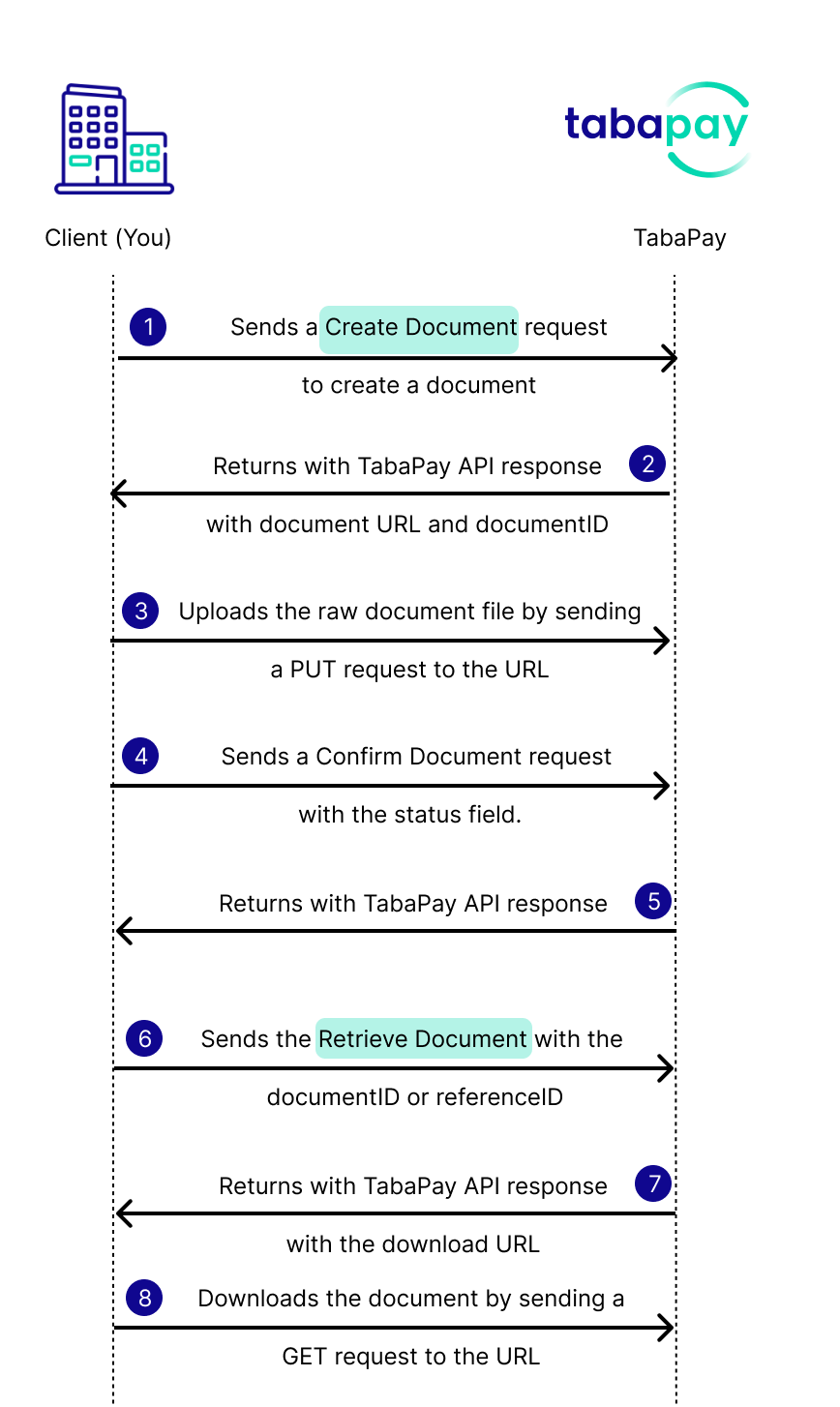
- You create a document link with Create Document API.
- TabaPay returns a time-limited upload URL in the
urlfield, and a unique document ID in thedocumentIDfield. - You upload the file by sending a PUT request to the
urlfrom the response and include the raw file bytes (e.g. binary file, not JSON, not base64). - You send Confirm Upload with a
PUTrequest to `/v2/clients/{clientID}/documents/{documentID}` - TabaPay sends a 200 success or error.
- You send Retrieve Document API with the documentID or referenceID.
- TabaPay response with details about the document.
- You download the document using a GET request to the
urlfrom the Retrieve Document response.