
Send Instantly via RTP
Use Real-Time Payments (RTP) by The Clearing House (TCH) to send funds instantly to recipients. The RTP network operated by TCH, is a payment system designed specifically for instant transactions. Unlike the ACH network, which processes payments in batches and with longer settlement times, the RTP network provides instant fund availability, real-time confirmations, and 24/7 operation.
Request to enable at TabaPay Support or [email protected].
Use Cases
Consumers, businesses, and the government are using the RTP network for a variety of payments needs. The most common types of payments on the RTP network include:
- Account-to Account transfers (A2A): Instantly transfer funds between accounts owned by the same person or entity, such as moving money from a checking account to a savings account or vice versa.
- Brokerage Account Funding: Enable immediate transfers to brokerage accounts for real-time investing opportunities, allowing users to capitalize on market changes without delay.
- Digital Wallet Defunding to DDAs: Facilitate instant transfers from digital wallets back to traditional demand deposit accounts (DDA), ensuring quick access to funds.
- Earned Wage Access and Emergency Payroll: Provide employees with real-time access to earned wages or emergency payroll disbursements, reducing financial stress during urgent situations.
- Instant Wage Access (for gig economy workers): Support gig workers by enabling immediate payouts for completed jobs, improving worker satisfaction and retention.
- Merchant Disbursements: Allow businesses to receive instant settlements for transactions, reducing cash flow delays and enabling quicker reinvestment.
- Real Estate Closing Payments/Title Insurance Payments: Streamline real estate transactions by facilitating instant payments for closings and title insurance, eliminating delays in property transfers.
- Consumer Loan Funding: Provide borrowers with immediate access to approved loan funds, enhancing customer experience and satisfaction.
RTP Payment Flow
This flow does not display the TabaPay Tokens (Create Account API) step in the workflow.
RTP Enabled (Sponsor) Bank Account
This flow includes using the Query Bank API request to ensure the “Creditor” DDA, (sender) is an open, RTP-enabled account. The sender can push funds instantly to another RTP-enabled account on the RTP network.
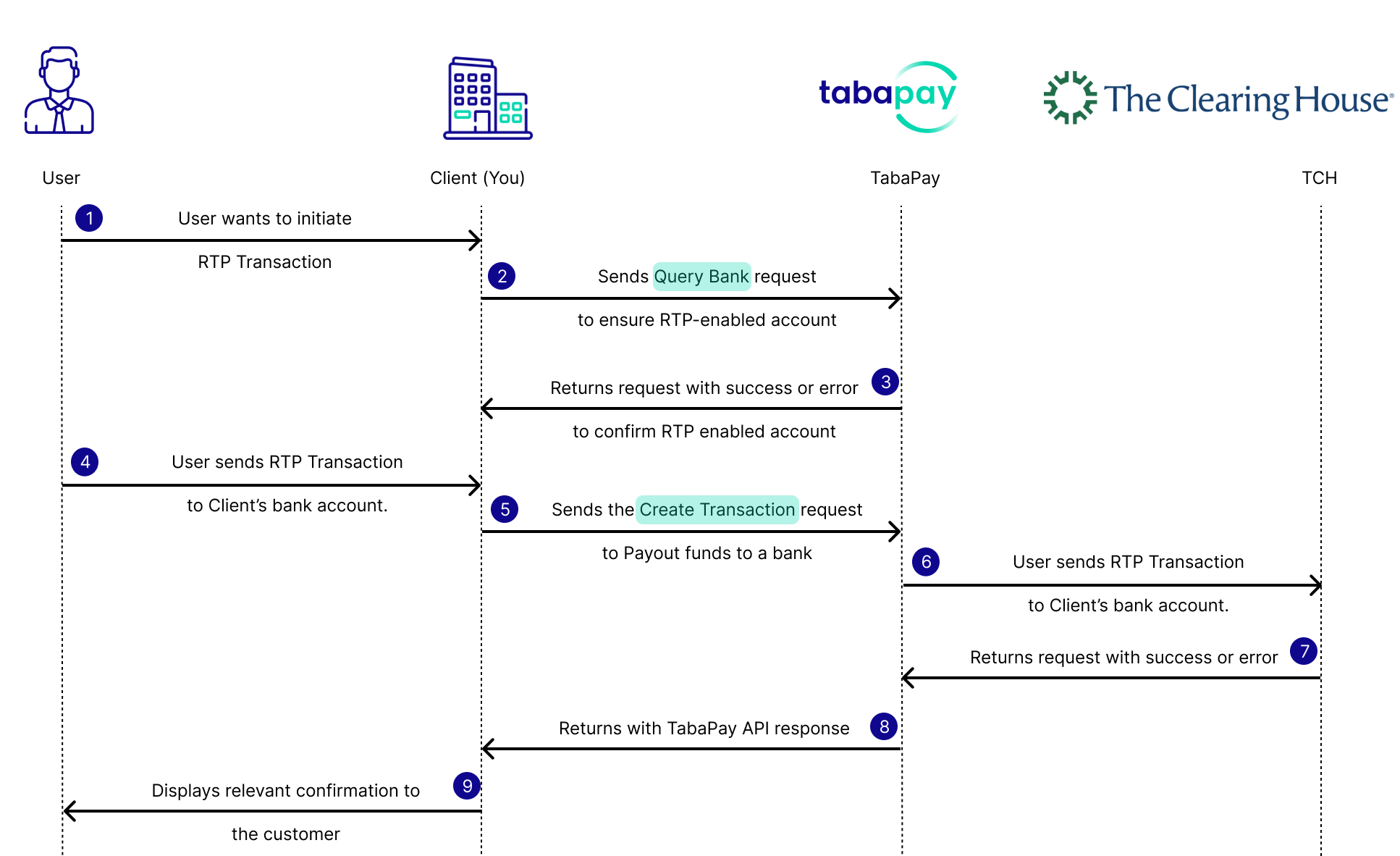
- User initiates an instant payment through your application by providing the details of the payer.
- You send a Query Bank API request to check for an RTP enabled bank account.
- TabaPay returns API response with
"RTP":trueand the"RTPAttributes"object. - You send a Create Transaction API request with RTP configurations including
"achOptions": "R",
Note: TabaPay ensures there are sufficient pre-funding available for the transaction.
- TabaPay forwards the request to The Clearing House as push payment to the payer’s account.
Note: The Clearing House responds to TabaPay's instruction, and if pre-funding is available at the TCH sub-ledger account, the transaction is successful.
- TCH responds back to TabaPay about the status of the transfer.
- TabaPay informs TabaPay Client via API Response.
- You display the relevant confirmation to the customer.
Credit Transfer FeesFees are charged on all RTP disbursement attempts including select errors. This does not include any unknown errors, C01, and Z01 errors.
Sample Customer Flows
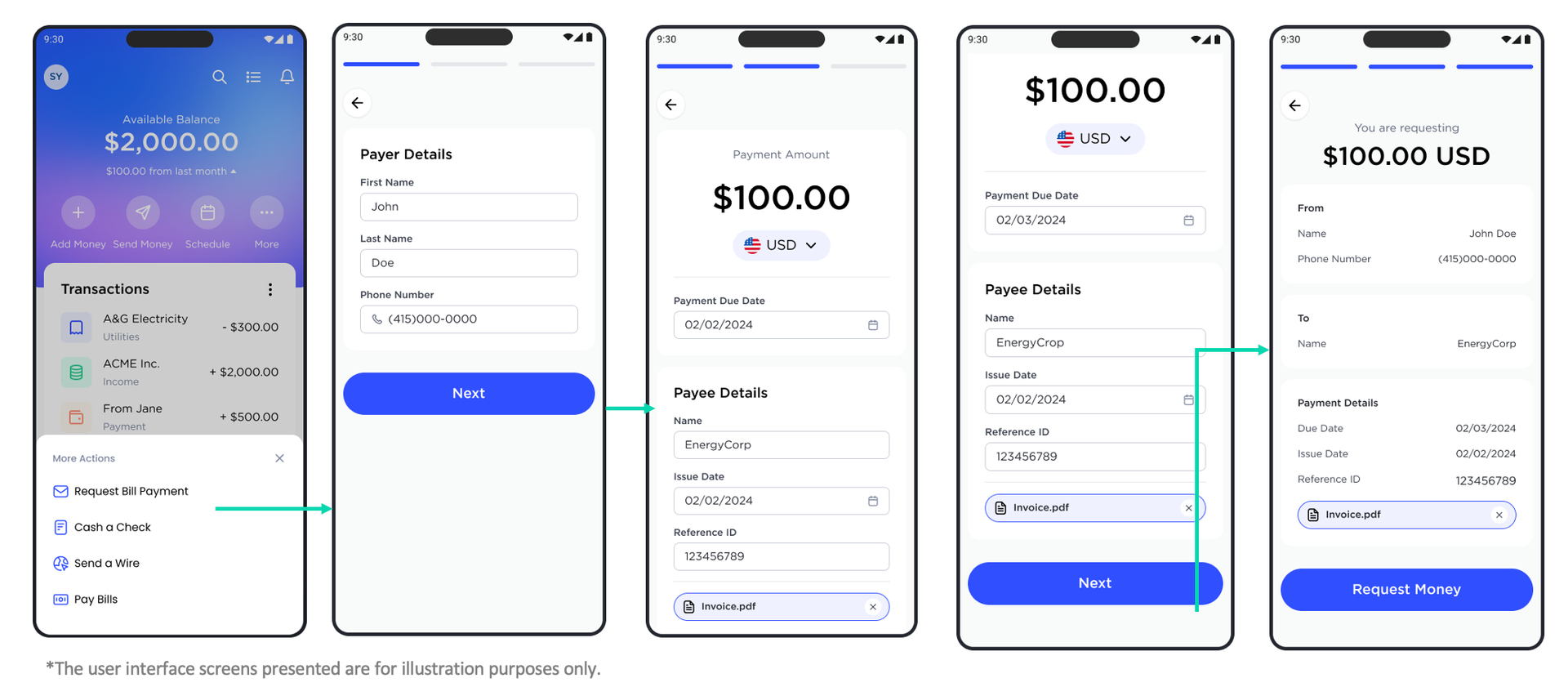
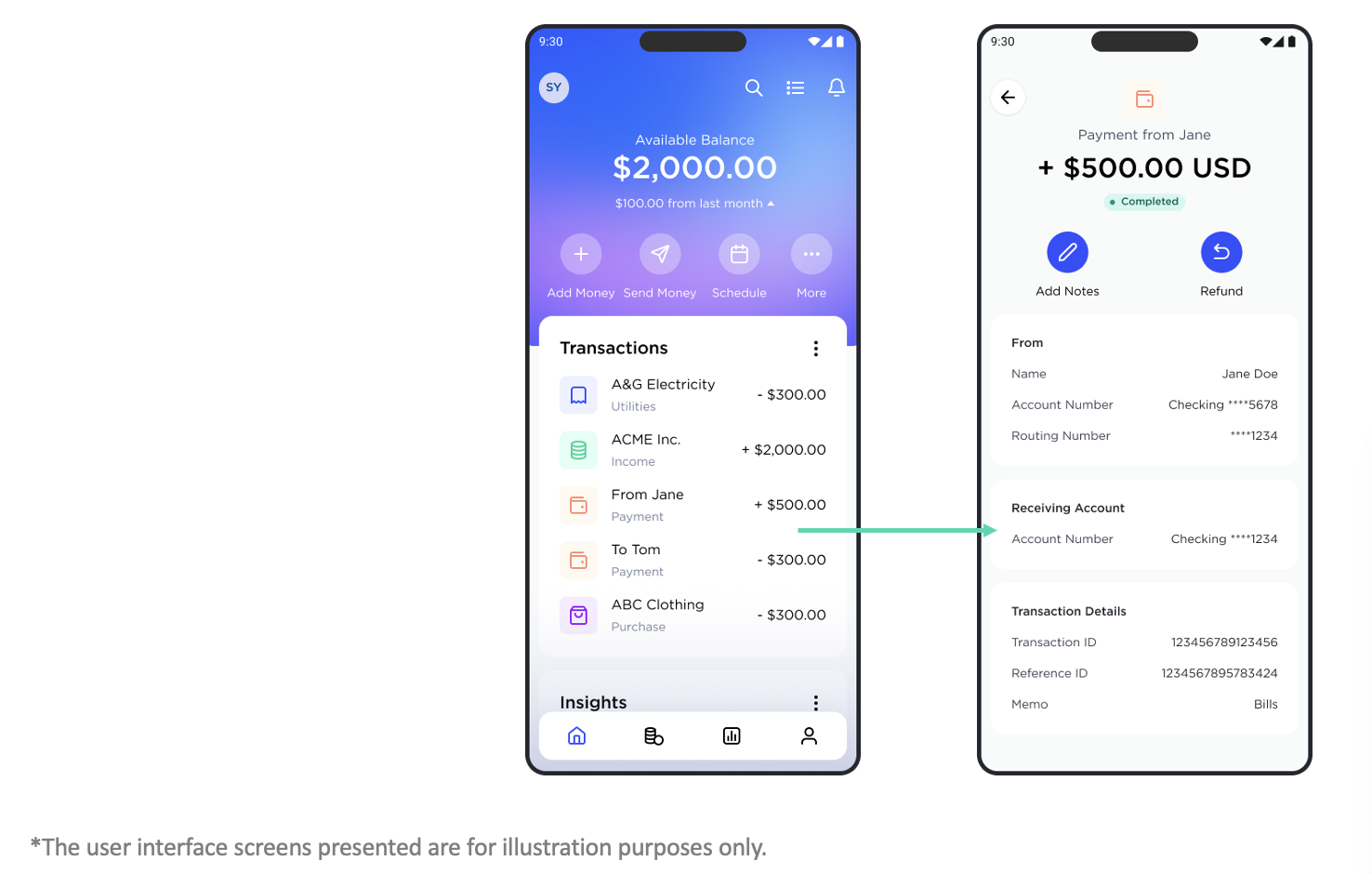
How RTP Works
The Query Bank request enables you to check if the Routing Number of a bank is enabled for RTP. Once you confirm eligibility, proceed to process the RTP RFP transaction using Create Transaction API.
General API Prerequisites
If you are using TabaPay Tokens for Source Account information, be sure to grab the accountID originally generated from Create Account.
Clients handling sensitive card data must comply with Payment Card Industry Data Security Standards (PCI-DSS).
Note: All requests should be in a compressed format.
1. Query Bank Request
TabaPay Client to use the Query Bank API request and provide the payer bank’s Routing Number to check for TCH eligibility.
{
  "routingNumber": "123456789"
}
2. Query Bank Response
Notice RTP is true, "RTP": true, and the RTPAttributes object. For more information on RTP query request, refer to Query Bank API.
{
    "SC": 200,
    "EC": "0",
    "RTP": true,
    "RTPAttributes": {
        "TCH": true,
        "TCHRequestForPayment": false,
        "FED": true,
        "FEDRequestForPayment": false
    }
}
3. Create Transaction Request
RTP Send will use the Create Transaction API request. The fields achOptions: R and type: push will designate the transaction to be RTP.
Notice the ACH Options field has the value R for RTP, "achOptions": "R".
{
 //... "For the full example, refer to the recipe below 8. RTP Push Transaction",
  "achOptions": "R",
  "amount": "100.00"
}
4. Response Codes for Send via RTP
Please refer to RTP Response Codes for the possible values that will be returned by TabaPay upon sending the request for payment instruction to push funds.
For an RTP API response, refer to the 8. RTP Push Transaction.
FAQs
Yes, RTP is available 24/7/365. For more information on availability, refer to ACH vs RTP
2. Are RTP transactions included in the Transactions (Daily) Report?
Yes, all RTP transactions are included in the Transactions (Daily) reports. However RTP Response Codes are not included. If there is an error the Transaction Status will be reported as ERROR.
3. Will RTP Transactions be Included on Transactions (Daily) Reports for the Same Day?
Generally if the transaction is before 9 PM (Report sendout time) the transactions should be included. If the RTP transaction is sent out around 9 PM or later then it should be included in the next day's report. For help email [email protected].
Recipes
If you’re interested in integrating with RTP Request for Payment, please use this recipe:
Recipe for Query Bank API
Recipe for Create Transaction API
Reports
RTP reporting will be the same layout for Cards for Daily Transaction Reporting.
- Network RC will provide the reason for RTP transaction failure.
Example Report
Updated about 1 month ago