
Viewing AVS Details
Clicking on any individual AVS request in the AVS table on the transactions page will take you to a detailed page, providing more information about that specific AVS request.
How to View AVS Details
- Log in to the TabaPay Portal and select Transactions.
- Select the AVS tab as shown in Transactions.
The AVS table appears with a list of all chargebacks.
Note: To view the AVS tab on the Transactions page, the View Real-Time Transactions switch must be turned OFF.
- Click on the individual AVS on the AVS table.
The AVS Details page appears with information about a specific AVS request.
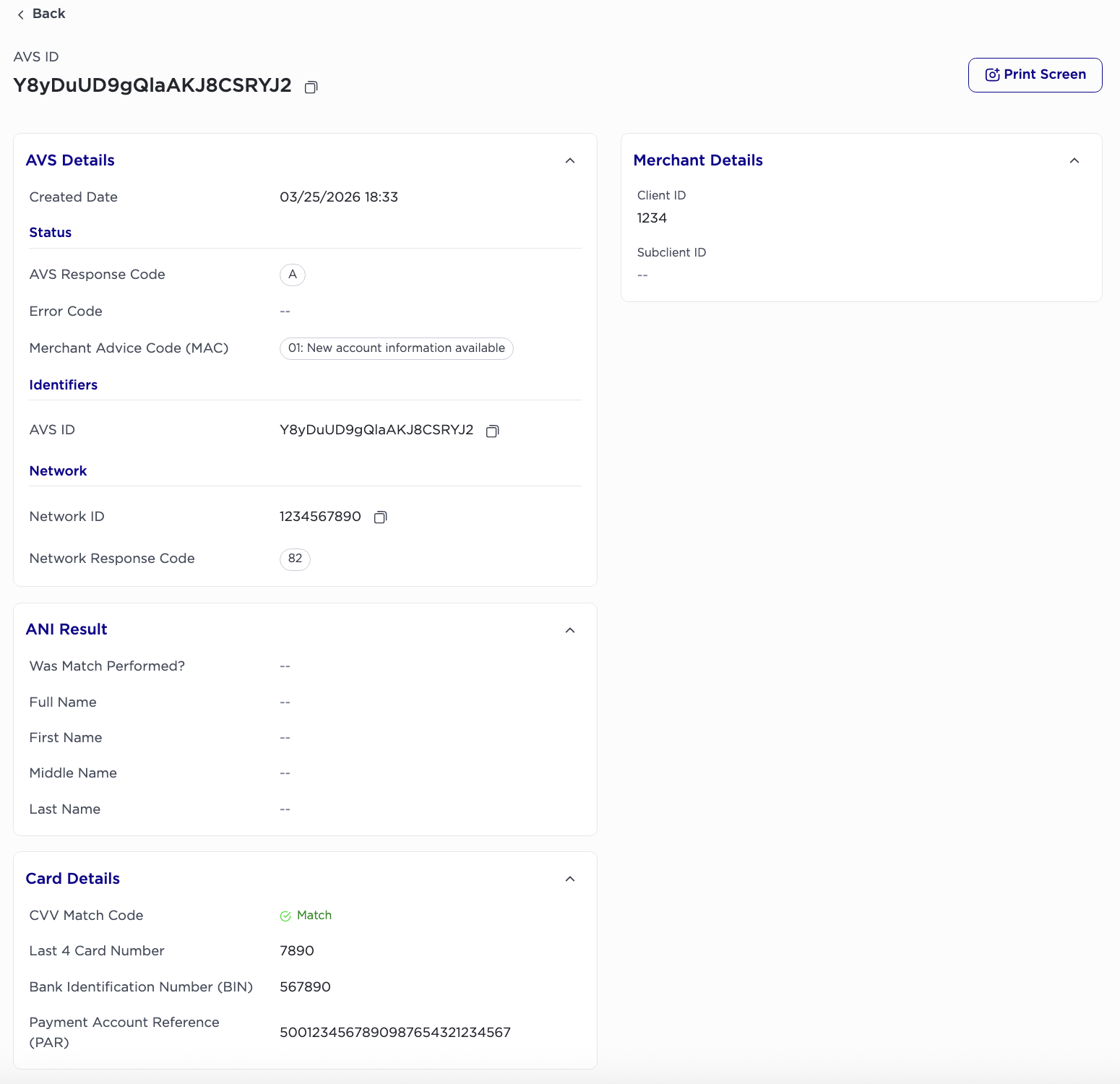
AVS Details
1. Created Date
Date/Time (GMT) that TabaPay received the Query Card API + AVS request from the client.
Status
1. AVS Response Code
Match responses given when using Query Card API + AVS to help make informed decisions regarding card and user transactions.
2. Error Code
Internal error code.
3. Merchant Advice Code (MAC)
2-character Merchant Advice Code (MAC). Relevant for MasterCard transactions only.
Can be null
Identifiers
1. AVS ID
Unique AVS transaction Identifier
Network
1. Original Network ID
Unique character set to every authorization and financial request to a specific network.
2. Network Response Code
ANI Result
1. Was Match Performed?
Whether the ANI match was performed.
MMatch was performed.NMatch was not performed.UANI is not supported.
2. Full Name
Name match result for the full name (first + middle + last)
MMatch.PPartial Match.NNo Match.
3. First Name
First name match result
MMatch.PPartial Match.NNo Match.
4. Middle Name
Middle name match result
MMatch.PPartial Match.NNo Match.
5. Last Name
Last name match result
MMatch.PPartial Match.NNo Match.
Card Details
1. CVV Match Code
CVV Match Code received at the time of transaction.
2. Last 4 Card Number
Last 4 of beneficiary card (add “0s” in front of number if less than 4 digits
3. Bank Identification Number (BIN)
First 6 of the Payment Car
4. Payment Account Reference (PAR)
29-character Payment Account Reference.
Can be null
Merchant Details
1. Client ID
Your unique 22-character string issued during onboarding.
2. Subclient ID
A 4, 6, or 8-digit value, specifying a program under a client.
Updated 4 months ago