
My Account
Use My Account to review your own Portal account details, permissions, and security settings.
Use cases
- Review your account information and permissions.
- Update your name or password.
- Manage your multi-factor authentication settings.
View your Account page
- To open your account options, select your account profile icon at the top right of the TabaPay Portal header.
- To view your account details, select My Account.
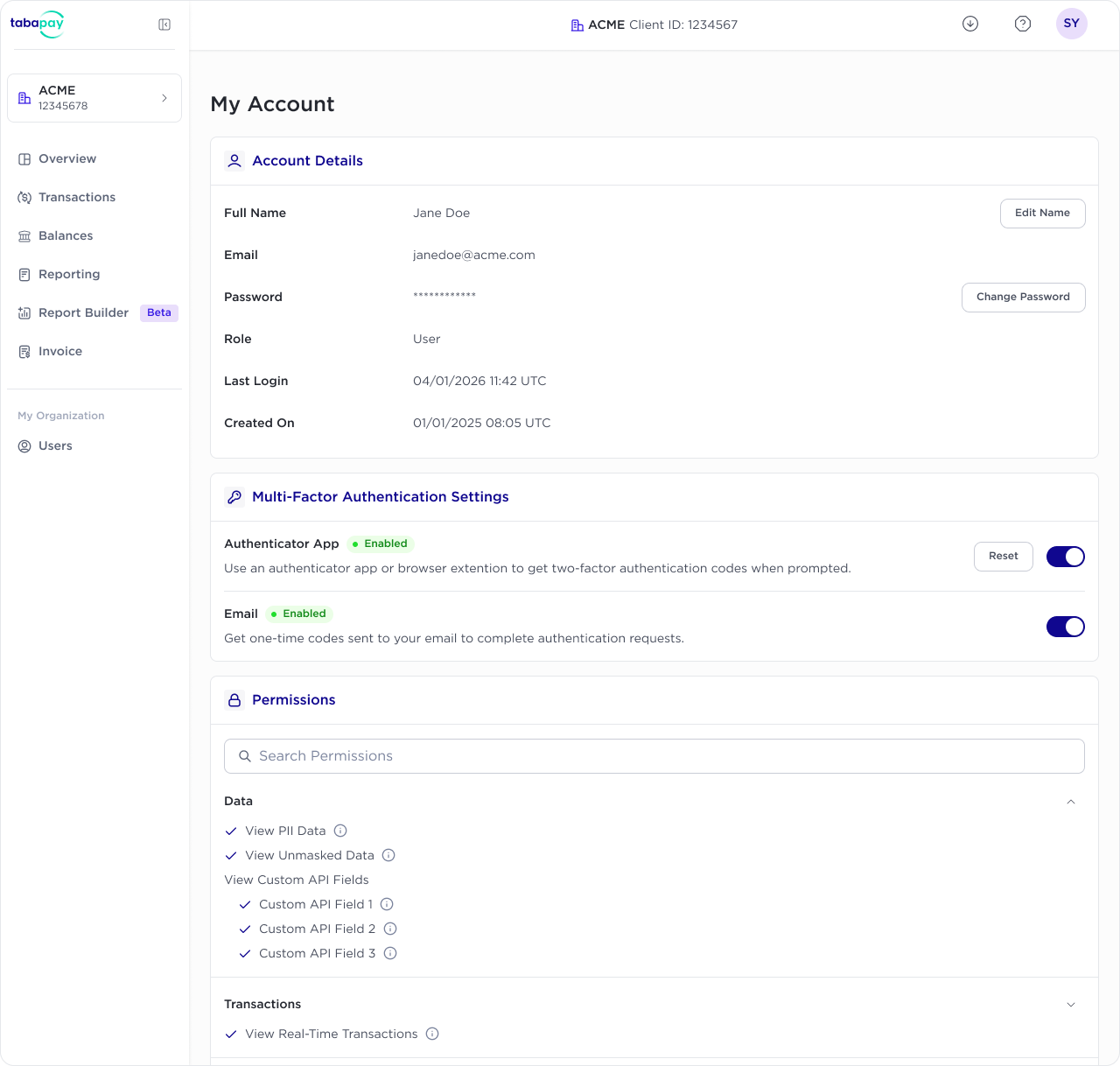
The Account page displays your organization, name, email, status, enabled MFA methods, role, permissions, last login, and account creation date. Your password is always displayed as a masked value.
Use the permissions search field to find a specific permission. The page shows both permissions enabled for your account and permissions that are not enabled.
Update your name
Name fields are optional.
- From My Account, select Edit Name.
- Enter or update your First Name and Last Name.
- Select Save Changes.
Change your password
- From My Account, select Change Password.
- Follow the prompts to enter and confirm your new password.
- Select Save Changes.
Manage multi-factor authentication
Use Multi-Factor Authentication Settings to manage how you verify your identity when signing in.
- Keep at least one MFA method enabled.
- To enable or disable an MFA method, use the toggle for on/off.
- To set up an authenticator app again, select Reset next to Authenticator App.
- You can use an authenticator app or email one-time codes when enabled.
After you save a valid change, the Portal confirms the update and refreshes your account details.
Requesting Permissions Change
To view your different permissions within TabaPay Portal, use the search or accordion sections.
To request additional permissions, contact your admin with user permissions rights. For more info, refer to Roles and Permissions.
Updated 15 days ago