
Audit Users and Activity Logs
Use the users table and activity log to review access, investigate user-management changes, and support internal audits.
Use cases
- Export a list of users and their access.
- Review changes made to a user account.
- Confirm when an invitation was sent or a user’s access changed.
Export the User List
- Log in to the TabaPay Portal
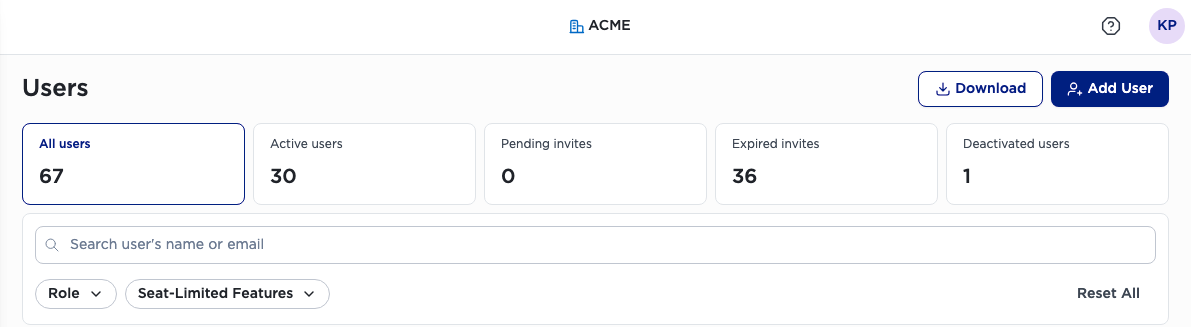
- On the left panel under My Organization, select Users.
- Apply any search, filter, or sort options you want reflected in the export.
Note: Seat-Limited Features have permissions available to a limited number of users. For example, the Insights Hub Dashboard has a limited number of seats that can be assigned to users.
The export may include user names, email addresses, roles, permissions, status, and last-login information when those fields are available in the table.
View a User’s Activity
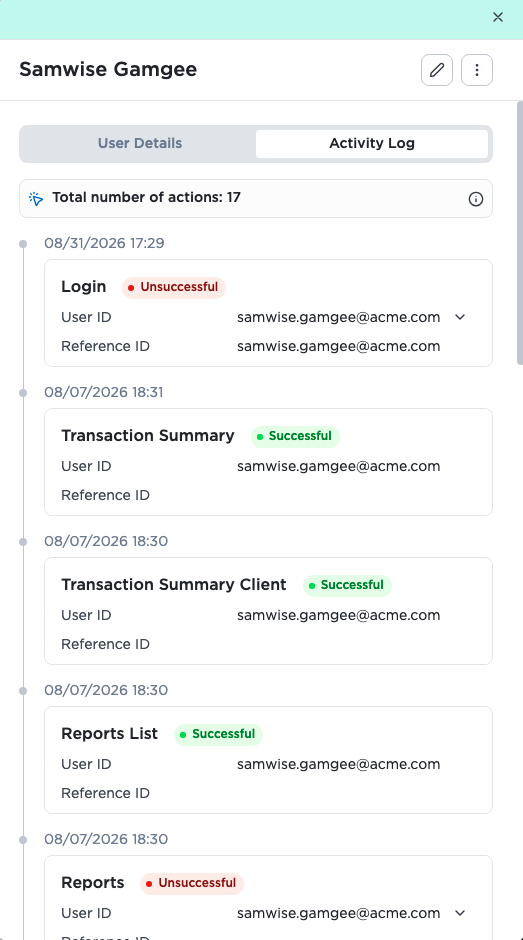
- Open the Users page, as shown in the previous Export the User List section.
- Select a user row, or open the row’s Actions menu and select View User Details.
- Select Activity Log.
Download a User’s Activity Log
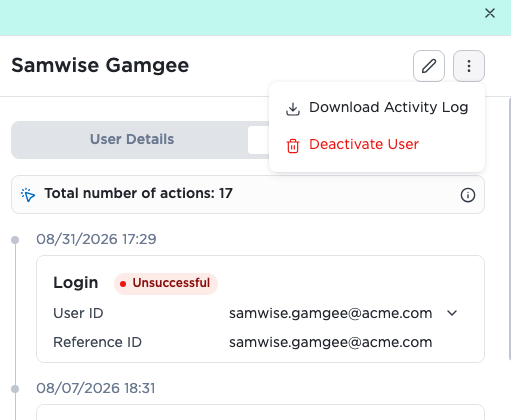
- Open the user’s Activity Log.
- Select the activity log options menu.
- Select Download Activity Log.
The activity log downloads as a CSV file. The file includes the activity fields shown in the activity log.
Audit Guidance
Review the following regularly:
- Active users who no longer need access.
- Users with permissions beyond their current job responsibilities
- Users with access to sensitive data.
- Invitations that are expired or remain unused.
- Changes to roles, permissions, MFA settings, and user status
Updated 20 days ago
Did this page help you?