
Balances
The Balances page allows you to view your real-time bank balances from the TabaPay Portal.
Balances visibility is currently limited to clients with subledger accounts held at a select partner bank. For updates, refer to Upcoming Enhancements, or follow the Changelog.
Use Cases
- Monitoring cash positions in real-time
- Forecasting liquidity
- Making funding decisions
How to Access the Balances page
- Log in to the TabaPay Portal.
- Make sure you have View Balances permission under User Details as shown in Viewing a User.
- Navigate to the Balances page.
- You will see:
- The Client/Subclient IDs associated with the account
- The bank account name
- Last 4 digits of your bank account #
- Current balance of the bank account
Viewing Account Details
The Balances page allows you to view all accounts associated with your ISOs and MIDs, along with real-time balance and account information.
- Navigate to the Balances page as shown in How to access the Balances page.
- Select one of the two viewing modes to accommodate different workflows.
- Displays all accounts you hold
- Each account is shown as a card
- Best for quickly scanning balances at the account level
- To view detailed information:
- In List View, click an account card.
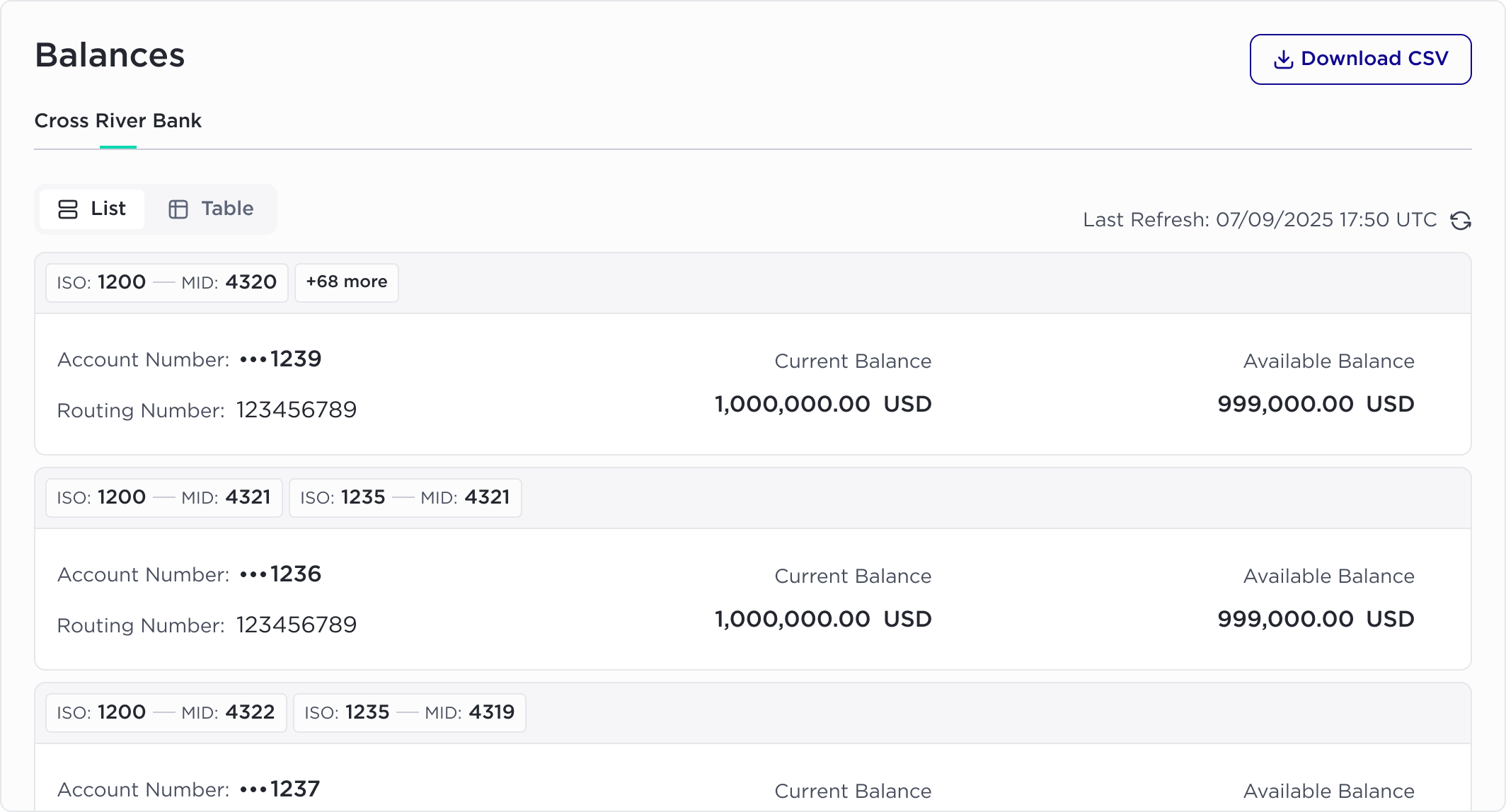
- You can view information including:
- ISO/MID associated with the account
- Last 4 digits of your bank account #
- Routing # of your bank account
- Balance information
- Current balance: Settled cash balance of fully completed transactions.
- Available balance: Your current balance plus/minus pending activity and holds.
- Account information
- Client name
- Currency
- Last transacted at
- Opened at
- Beneficiary details
- Entity name
- First name
- Last name
Downloading CSV
- Navigate to the Balances page as shown in How to access the Balances page.
- Click Download CSV in the top-right corner.
- The downloaded file includes the following fields:
- ISO
- MID
- Account number (Last 4 digits)
- Routing number
- Current balance
- Available balance
- Currency
- Last updated timestamp (in UTC)
Updated 8 months ago
Did this page help you?